If you use PuTTY or Solar-PuTTY on Windows, you might encounter an issue where numeric keybad (Numpad) doesn’t work with inline editors like vi or nano. Fortunately this has an easy fix. The following steps can be taken to allow numpad to work properly with all your future SSH sessions.
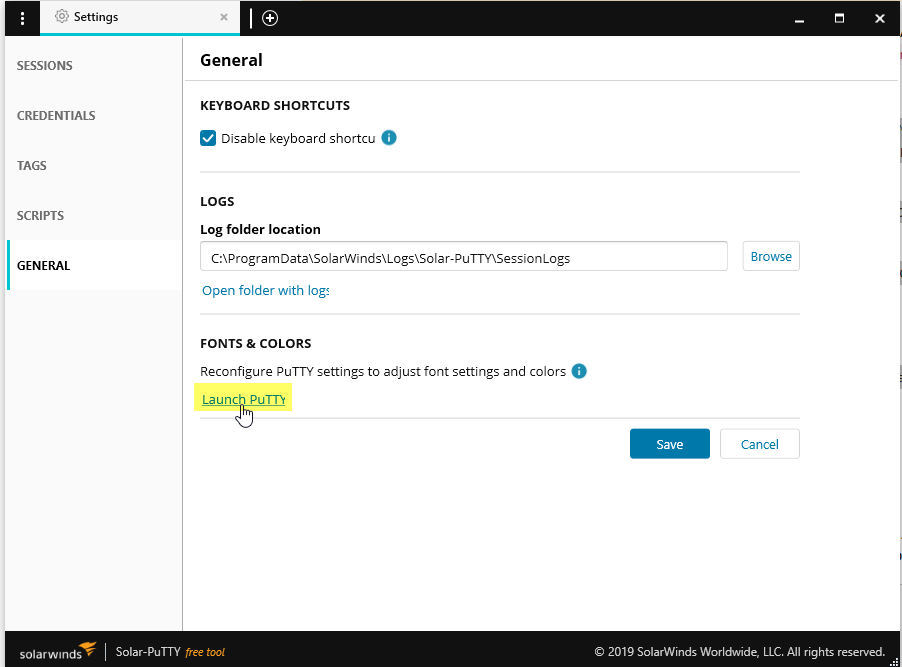
- Start your PuTTY client, or if you are a Solar-PuTTY user open the settings pane and go to General, you should see a link to open PuTTY for special configurations:
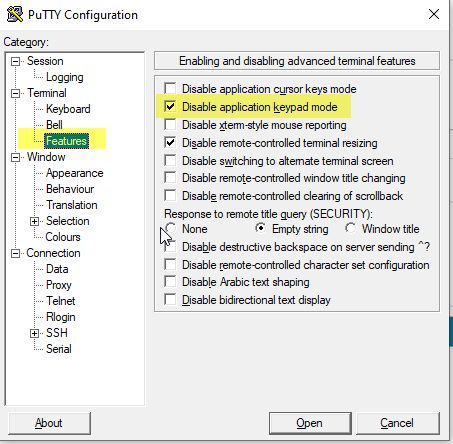
- From PuTTY menu, click Features, and check
Disable application keypad mode.
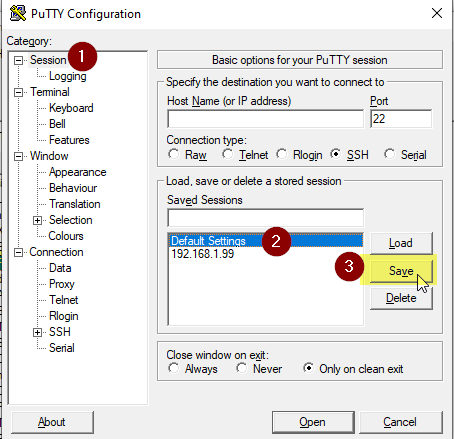
- Make sure to save those settings to the
Default Settingsprofile, by clickingSessionfrom the menu, then choosing theDefault settingsprofile and finally clicking theSavebutton.
Now your numpad key entries should by recognized by your PuTTY or Solar-PuTTY client.